
Many manufacturers find this out the hard way. A gripper that looked fine in a 2D drawing collides with a fixture. A robot that seemed capable of a reach actually fights a wrist singularity halfway through the cycle. Production slows while engineers rework the cell live, on the clock.
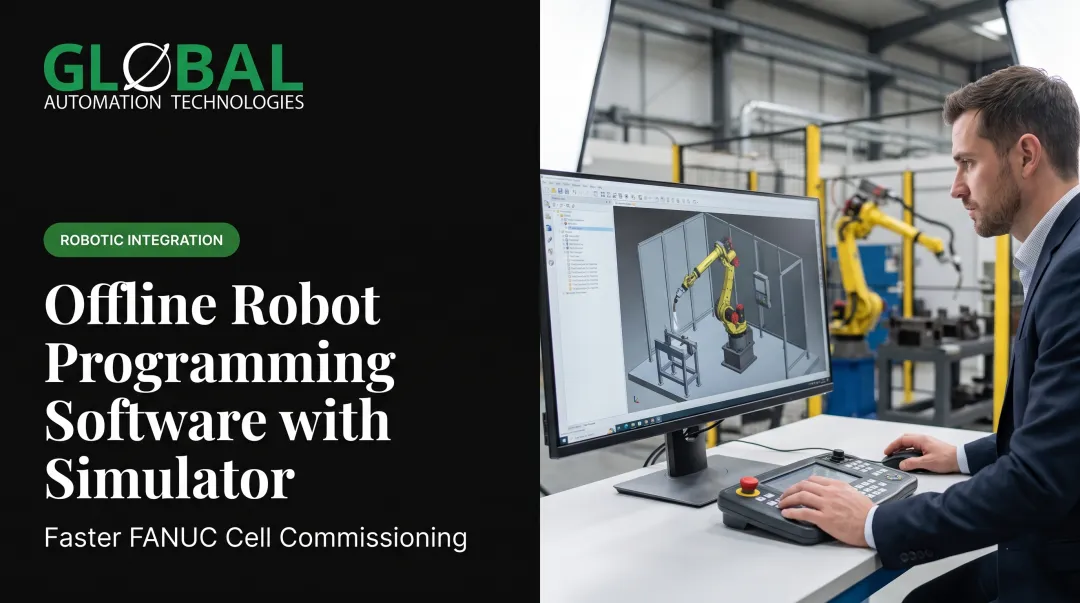
FANUC ROBOGUIDE exists to catch these problems earlier. It's a PC-based environment where engineers build a virtual FANUC workcell, write and test robot programs offline, and stress-test design assumptions before a single piece of hardware ships.
This article covers what ROBOGUIDE actually does, how the offline programming workflow works, what you can and can't validate with it, how to plan a project that produces trustworthy results, and when bringing in an automation partner makes sense.
Key Takeaways
- ROBOGUIDE simulates FANUC workcells in 3D and lets engineers write robot programs before hardware arrives.
- Reach, collision, and cycle-time studies catch design flaws while changes are still cheap to make.
- Simulation accuracy depends entirely on the quality of your CAD, tooling data, and process assumptions.
- Offline programs still need on-site verification; ROBOGUIDE cuts teaching time but does not remove it.
- Complex or multi-robot projects gain the most from a FANUC-focused integration partner.
What Is FANUC ROBOGUIDE?
ROBOGUIDE is FANUC's offline programming and 3D simulation software. According to FANUC America's current product page, ROBOGUIDE V10 lets engineers create robot programs and simulate workcells in 3D without needing a physical prototype on hand.
The virtual workcell can include the robot model, its controller, end-of-arm tooling (EOAT), fixtures, parts, conveyors, safety guarding, and other equipment positioned relative to one another. Engineers typically import CAD for these elements rather than building geometry from scratch.
Simulation vs. Offline Programming
Engineers often treat these terms as synonyms, but they cover different jobs:
- Simulation evaluates the virtual cell itself: does the robot fit, does it collide with anything, does the cycle hit its target time?
- Offline programming creates and tests the actual robot program away from the physical controller, so it's ready (or close to ready) when the robot arrives.
ROBOGUIDE does both, and the two functions depend on each other. A program is only as good as the virtual cell it was built in.
Why the Virtual Controller Matters
ROBOGUIDE models workcell behavior through a virtual controller, a software stand-in for the real FANUC controller. Using the correct robot model, software version, motion groups, and application settings isn't optional detail work. It's what makes the simulation's cycle-time and motion results meaningful instead of approximate guesses.

Application-Specific Modules
FANUC offers ROBOGUIDE modules built for specific processes:
| Module | Primary Use |
|---|---|
| HandlingPRO | Material handling, load/unload, CAD-to-Path, conveyor tracking |
| WeldPRO | Arc-welding simulation, automatic weld-path generation |
| PaintPRO | Graphical paint-path development from selected part areas |
| PalletPRO | Offline palletizing layouts that transfer to PalletTool on the real controller |
| RPickPRO | Simulation of picking systems, part rates, and conveyor flow |
Module names and availability change between releases, so confirm current options through FANUC's official documentation before scoping a project.
What ROBOGUIDE Doesn't Replace
Simulation builds confidence, not certification. ROBOGUIDE does not replace:
- Physical safety validation and guarding certification
- Robot mastering and calibration on the actual hardware
- Tooling verification under real process loads
- Sensor testing in the physical environment
- Final production commissioning
How FANUC ROBOGUIDE Supports Offline Programming
The Typical Workflow
Most ROBOGUIDE projects follow a similar sequence. FANUC America's guide to the software describes choosing the controller and robot model first, then laying out the floor and guarding, adding EOAT and fixtures, and importing CAD for grippers, vises, or conveyors.
From there, engineers:
- Define tool and user frames relative to the part and fixture setup
- Create approach, process, and exit points for each operation
- Generate motion paths, in some applications, directly from part geometry
- Run the simulated cycle and review the results
- Adjust and rerun until the program and layout hold up
Testing Motion Before You Teach a Single Point
In ROBOGUIDE, engineers can check joint travel, reach, payload assumptions, wrist orientation, and motion sequencing entirely in simulation, before any physical teaching happens on the real robot.
If a gripper orientation fights a wrist limit, or a path takes the robot through an awkward posture near a singularity, that shows up on screen first. Fixing it there costs a few minutes. Fixing it after installation costs production time.
Iteration is the point. Adjust robot placement, move a fixture, change EOAT geometry, try a different path strategy — then rerun the cycle and compare results.

Example: A Machine-Tending Cell
Picture a FANUC robot tending a CNC machine. For the simulation to be useful, the model needs:
- Accurate machine door and chuck geometry
- Correct gripper dimensions and tool frame
- Realistic part presentation (raw stock vs. finished part)
- Actual fixture and pallet positions
- Target cycle time tied to machine processing time, not just robot motion
Skip any of these and the "validated" cycle time is fiction. GLOBAL Automation Technologies designs machine-tending cells the same way: around specific equipment, part geometry, and cycle-time targets, with gripper design and part orientation settled before programming starts.
Offline programming cuts teaching time and production interruption during installation, but it does not replace on-site verification. The program still needs refinement against the real robot, tooling, and part tolerances.
What Can You Validate With ROBOGUIDE?
Reach and Collision Checks
Reach studies answer a basic question: can the selected robot hit every required process point? They also confirm acceptable orientation without exceeding mechanical or application limits. Collision checking then looks at interference between the robot, EOAT, workpiece, fixtures, guarding, conveyors, and neighboring equipment.
One distinction matters here: model-based collision detection flags geometric overlap in the simulation. It is not the same as real-world safety certification, which still requires physical validation.
Cycle-Time and Layout Analysis
ROBOGUIDE displays motion-path data and per-line timing, which lets teams compare motion strategies, spot unnecessary travel, and check whether a cell design can hit its production target.
Layout reviews use the same virtual cell to evaluate:
- Floor space and cell footprint
- Operator access paths
- Maintenance clearance
- Material flow
Teams can settle these questions before any steel gets fabricated.
Virtual Commissioning
For more advanced setups, FANUC connects ROBOGUIDE's virtual controllers with third-party PLC simulation tools. FANUC describes an enhancement that improves integration between ROBOGUIDE and Rockwell's FactoryTalk Logix Echo virtual PLC.
The link supports EtherNet/IP communication so robot motion and PLC logic can be tested together, provided appropriate licenses exist for both platforms. Confirm current supported connectivity options before relying on this for a specific project.
A documented example from Control Engineering describes an engine-assembly-line upgrade where ROBOGUIDE was used to simulate robotic cells and debug routines across 15 installation phases, with downtime windows of just three to five days per phase.

The project came in on schedule and on budget with minimal prototype parts. That result reflects the overall virtual-commissioning program, not an isolated ROBOGUIDE-only metric.
Beyond the technical checks, 3D playback gives engineers, operators, and safety teams a shared reference point. Spotting a concern in a walkthrough video is a lot cheaper than spotting it during startup.
How to Plan a Successful ROBOGUIDE Project
Simulation only reflects what you put into it. Minimum inputs for a usable model:
- Accurate robot and controller selection, including software version
- Current CAD for parts, tooling, fixtures, and guarding
- EOAT (end-of-arm tooling) data and payload figures
- User and tool frame definitions
- Process requirements, I/O assumptions, and target cycle time
Bad inputs produce confident-looking wrong answers. Outdated CAD, mismeasured tooling, missing cable dress, or unrealistic part presentation can all make a simulation pass that a real cell would fail.
Pre-Deployment Checklist
Before calling a model "validated," confirm:
- Robot reach holds across the full process range
- Collision results are clean across the entire cycle
- Cycle-time assumptions match real process timing, not just robot motion
- Safety zones, operator access, and maintenance access are reviewed
- Program naming and version control are in place
- A plan exists for physical validation on-site
Document assumptions, outputs, and open risks as you go. That turns the model into a shared engineering reference instead of a one-time demo everyone forgets about.
When to Work With an Automation Partner
Some projects justify building ROBOGUIDE expertise in-house. Others don't, particularly:
- New robotic cells with unfamiliar process requirements
- Multi-robot systems with interacting motion paths
- Line retrofits where existing equipment constrains the design
- Tight cycle-time targets with little margin for error
- Projects where downtime is costly and internal FANUC programming bandwidth is limited This is where GLOBAL Automation Technologies fits in. GLOBAL is a Level 5 FANUC Authorized System Integrator and #1 purchaser of FANUC robots among North American integrators in 2025. Relevant scale and reach:
- 17+ years in automation
- 110+ team members
- 700+ FANUC robots installed
- Project work spanning 22 countries GLOBAL combines two capabilities most firms sell separately: automation solutions, services and technical staffing. You get the automation system and the engineering talent to develop, deploy, and support it, without coordinating two separate vendors. Thinking through your robot model, application, CAD readiness, production targets, or commissioning timeline? That's a conversation worth having before the cell gets built, not after.
Conclusion: Use ROBOGUIDE to Move Risk Off the Production Floor
ROBOGUIDE gives manufacturers a way to make design and programming decisions in simulation, where mistakes cost a screen refresh instead of a production delay. The highest-value uses are consistent across industries:
- Reach and collision studies
- Cycle-time optimization
- Layout validation
- Virtual commissioning
- Earlier stakeholder alignment
Simulation does not replace physical commissioning. It moves most of the risk earlier, where fixes cost far less.
Next step: confirm the correct ROBOGUIDE release and modules for your application, and gather accurate CAD and process data. Bring in a qualified FANUC integrator when cell complexity warrants it.
Frequently Asked Questions
How much does FANUC ROBOGUIDE software cost?
Pricing depends on the release, application modules, licensing arrangement, and purchasing channel. Request current pricing directly from FANUC or an authorized integrator rather than relying on older published figures.
What is FANUC ROBOGUIDE?
FANUC ROBOGUIDE is a 3D robot simulation and offline programming environment used to design, test, optimize, and validate robotic workcells before physical installation.
What software do FANUC robots use?
FANUC robots run controller and application software on the robot controller itself. ROBOGUIDE is separate PC-based software for offline simulation and programming, not the robot’s runtime software.
What coding language does FANUC use?
FANUC robots are primarily programmed through the Teach Pendant (TP) environment. KAREL, a compiled language, handles advanced non-motion programming tasks. Confirm current licensing and availability for your controller before planning around either.
What is the newest version of FANUC ROBOGUIDE?
Check FANUC’s official U.S. documentation or support portal at the time of your project for the current ROBOGUIDE release and compatibility details.
Does a ROBOGUIDE simulation guarantee the real cell will work?
No. Simulation accuracy depends on accurate CAD, tooling data, and process assumptions. Physical safety validation, mastering, and on-site verification are still required before production launch.