
Key Takeaways
- HMI is the visual interface operators use to monitor and control industrial automation equipment
- Touch panels and displays surface real-time data, alarms, production metrics, and equipment status
- Paired with PLCs and SCADA, HMIs turn machine data into actionable information
- Used in robotics, machine tending, material handling, process control, and quality monitoring
- Faster troubleshooting, less downtime, higher operator efficiency, and centralized cell control
What Is Industrial Automation HMI?
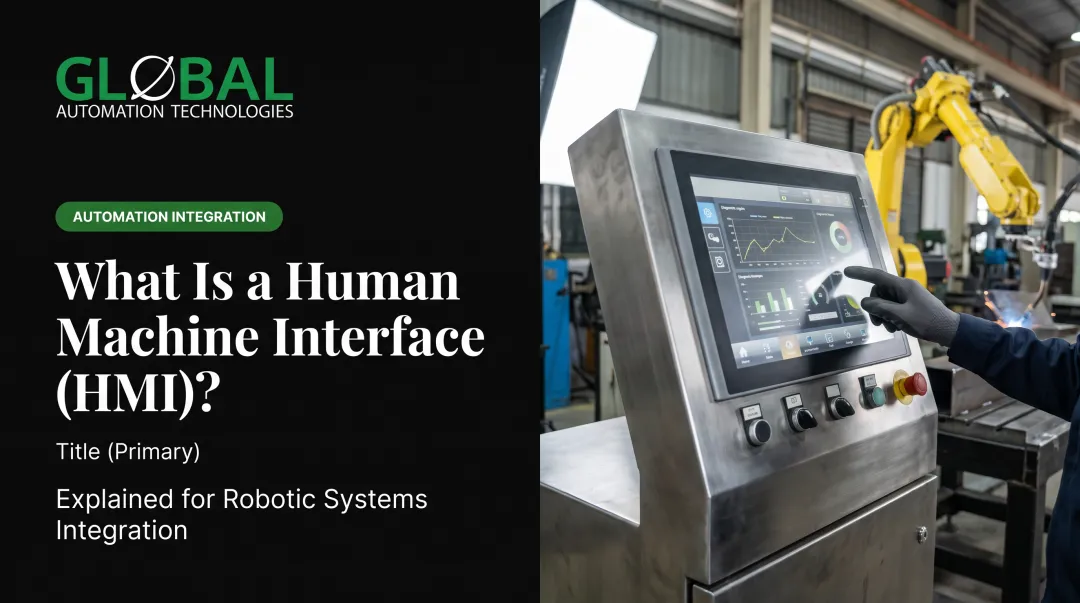
Industrial automation HMI is the interface technology that enables human operators to visualize, interact with, and control automated manufacturing equipment, robotics, and industrial processes. According to NIST, the HMI serves as the operator and engineer interface for monitoring process status and history while configuring controller setpoints, algorithms, and parameters.
Why HMI exists: Digital HMI displays replaced panels of physical buttons, switches, and analog gauges so operators could see more information, respond faster, and reprogram screens without rewiring. Instead of walking the factory floor to check individual sensors or control cabinets, operators see live process data, production counts, cycle times, and equipment health from a central location.
What HMI is NOT:
- SCADA: HMI is the interface; SCADA is the broader data collection and control system that coordinates across facilities
- PLC: HMI displays information and accepts input; PLCs execute the control logic that runs machines
- Basic operator panel: Modern HMI adds visualization, trending, alarming, and data logging—not just on/off control
Even with IoT and cloud connectivity on the plant floor, operators still need intuitive visual interfaces at the machine for setup, troubleshooting, and real-time adjustments during production.
Main types of HMI:
- Panel-mounted touch screens: Most common on production floors, from basic 7-inch displays to high-performance industrial panels
- PC-based HMI software: Runs on industrial PCs for data-intensive applications that need more computing power
- Mobile/tablet HMI: Gives engineers and managers remote access to monitor production off-site
- Embedded displays: Built directly into machinery, often ruggedized for harsh environments

How Does HMI Work in Industrial Automation?
HMI operates as a communication bridge between human operators and the control systems (PLCs, PACs, drives, robots) that run automated equipment. It translates machine data into visual displays and operator inputs into control commands.
Connection and Communication
HMI connects to industrial equipment through standard industrial protocols:
- EtherNet/IP – Uses standard Ethernet and TCP/IP with CIP
- Modbus TCP – Open protocol for client, server, and gateway functions
- PROFINET RT – Real-time performance with controller cycle times from 250 microseconds to 512 milliseconds
- OPC UA – Platform-independent standard for secure, reliable device communication
HMI systems establish bidirectional data flow:
- Controllers → HMI: Live sensor values, temperatures, pressures, positions, alarm states, and equipment status
- HMI → Controllers: Start/stop commands, setpoint changes, mode selections, and other operator inputs
Data Visualization and Display
During normal operation, HMI software polls connected devices multiple times per second, retrieves current values, and refreshes on-screen elements. Beckhoff TwinCAT HMI, for example, defaults to a 500 ms server-symbol update interval, though timing varies by product and configuration.
How visualization helps operators:
- Centralized view of live process data, production counts, cycle times, and equipment health
- Real-time gauges, trend graphs, equipment animations, and status indicators
- Color coding, hierarchical navigation, and alarm prioritization for quick fault identification
- Instant recognition of normal operation versus alarm conditions
Well-designed screens and guided workflows let operators judge equipment status at a glance instead of walking the line to check individual sensors.

Operator Interaction and Control
Through touch screen inputs, operators can:
- Start or stop equipment
- Adjust speed, temperature, and pressure setpoints
- Acknowledge alarms and clear fault conditions
- Switch between automatic and manual modes
- Initiate specific machine sequences or recipes
- Access historical data and production reports
Access control: HMI systems enforce role-based permissions. Operators, supervisors, maintenance techs, and engineers each see different screens and hold different rights to change parameters or override interlocks. That model aligns with ISA/IEC 62443 guidance on role-based authorization and least privilege.
Output and Integration
Modern HMI integrates with broader manufacturing systems:
- Logs data to databases for historical analysis
- Sends alarm notifications via email or text
- Connects to SCADA systems for plant-wide monitoring
- Exports production reports for management review
- Supports cloud connectivity through platforms like FactoryTalk View with InfluxDB and MQTT integration
With live performance data, trends, and historical comparisons on one interface, operators and engineers can spot bottlenecks, trim cycle time, and catch failing equipment before it stops the line.

Where HMI Is Used in Manufacturing and Industry
HMI shows up at more than one layer of a plant. Operators use it at the cell; supervisors use it to see the line and the facility.
- Machine level: Individual work cells, processing stations, and robotic systems
- Supervisory level: Production line overviews, facility dashboards, and plant-wide monitoring
Manufacturing Applications
In robotic work cells—machine tending, welding, painting, and assembly—HMI supports:
- Job selection and program monitoring
- Error recovery and fault diagnostics
- Cycle time tracking and production counts
- Quality checkpoint verification
On automated production lines, the same interface tracks flow and pace:
- Part flow through multiple stations
- Cycle time monitoring and bottleneck identification
- Quality checkpoints and inspection results
- Line speed and changeover control
Packaging cells lean on HMI for changeovers and sync with upstream and downstream equipment:
- Product changeovers and recipe management
- Count tracking and batch verification
- Speed adjustments for line synchronization
- Material usage and waste monitoring
Process Industry Applications
Chemical, pharmaceutical, and food and beverage plants use HMI for continuous and batch control:
- Monitor and control batch processes
- Track tank levels, flow rates, and temperature profiles
- Manage recipe parameters and process sequences
- Generate regulatory compliance reports
- Run pump control, chemical dosing, and environmental monitoring in water and wastewater facilities
Automotive and Heavy Equipment Manufacturing
Body shops, paint booths, and final assembly put heavier demands on HMI because many robots and processes share one build sequence:
- Coordinate multi-robot welding and material handling
- Monitor coating quality and film thickness
- Track vehicle build data and serial numbers for traceability
- Manage material flow through production sequences
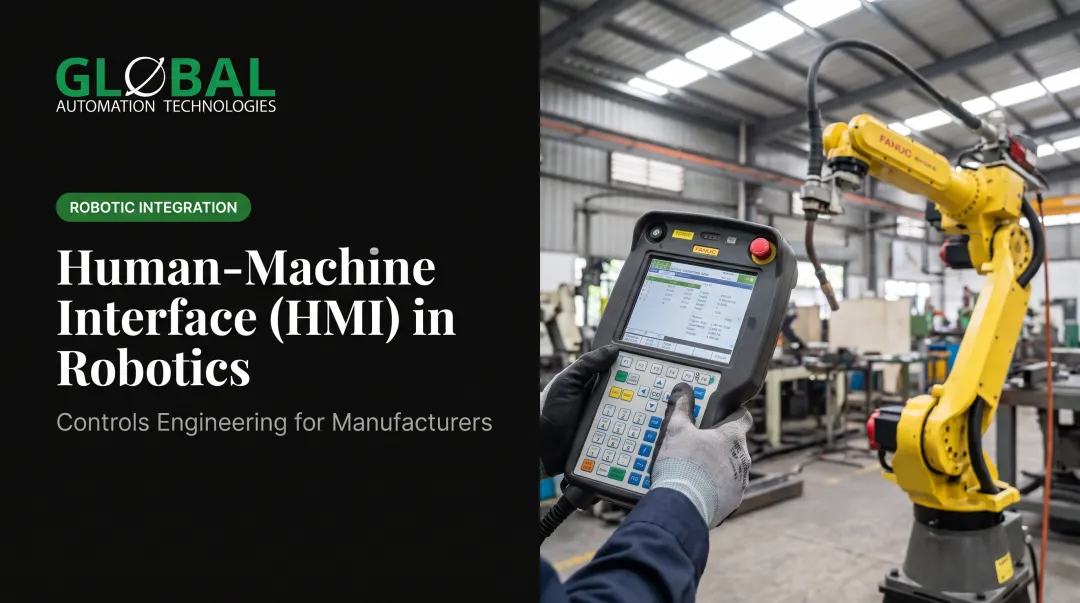
In FANUC-based cells that GLOBAL Automation Technologies, which holds Level 5 status in FANUC’s Authorized System Integrator program, integrates for automotive OEMs, Tier 1 suppliers, and heavy equipment makers, that HMI layer ties robot programs to controls, machine vision, and SCADA so operators can run and diagnose the cell from one screen.
Environmental Adaptation
Those applications only work if the hardware matches the floor. HMI gear is built for different environments:
- Ruggedized touch panels: Handle dust, moisture, and temperature extremes; Advantech panel PCs operate from -20°C to 60°C
- Panel PC-based HMI: More computing power for data-heavy applications
- Mobile HMI: Remote monitoring from tablets or phones for off-floor troubleshooting
Key Benefits of HMI in Industrial Automation
HMI systems give operators and plant managers clearer control over production:
- See equipment status, production metrics, and alarms instantly without walking the floor, so troubleshooting starts sooner and time-to-resolution drops
- Monitor and control entire production lines or work cells from one station instead of separate panels at each machine, which cuts staffing needs and improves coordination
- Log operational data, track production trends, calculate OEE, and generate reports managers use to spot improvements, validate process changes, and justify automation investments
- Shorten new-operator training with touch-screen graphics, guided workflows, and contextual help, while clear feedback reduces bad setpoint entries and procedural mistakes that damage equipment or quality
Those gains show up in production numbers. Hexcel's aerospace production modernization, which included FactoryTalk View HMI, reduced unplanned maintenance downtime from 2% to 0.4%.
Conclusion
HMI is the essential interface layer that makes industrial automation practical and manageable for human operators. It translates complex machine operations into understandable visual displays and simple control actions, enabling manufacturers to monitor production, catch faults early, and adjust processes in real time.
As plants add robots, sensors, and connected equipment, clear HMI design is critical for utilization and uptime. A line that runs smoothly versus one that stops often comes down to whether operators can see the right data fast enough to act. Treat the interface as a core engineering choice when you specify or upgrade a cell—not a screen added at the end.
Frequently Asked Questions
What is HMI in industrial automation?
HMI (Human-Machine Interface) is the visual display and control layer operators use with industrial automation equipment. It shows real-time data, alarms, and process status, and accepts inputs such as start/stop commands and setpoint changes.
Is an HMI a SCADA?
HMI and SCADA are related but different. HMI is the operator interface: the screens and controls people use on the plant floor. SCADA is the broader system that gathers data from many sources, coordinates control across sites, and handles logging and reporting—often including HMI screens.
What is the difference between HMI and PLC?
PLCs (Programmable Logic Controllers) run the control logic: reading sensors, driving outputs, and enforcing safety rules. HMIs show what the PLC is doing and let operators send commands back. Think of the PLC as the "brain" and the HMI as the "face."
How much does an HMI cost?
Price depends on screen size, performance, ruggedization, and licensing. Basic operator panels start around $499, mid-range industrial touch panels run about $819–$1,950, and PC-based HMI systems often range from $1,850 to $20,600+ with software and installation.
What is the most commonly used HMI software?
Common platforms include Rockwell FactoryTalk View, Siemens WinCC, Ignition by Inductive Automation, Wonderware InTouch (now AVEVA InTouch), and AVEVA Edge. Choice usually tracks the plant’s PLC brand and whether cloud or remote connectivity is required.
Can HMI systems be accessed remotely?
Yes. Many modern HMIs support remote access via web browsers, VPNs, or cloud platforms so engineers can monitor production and troubleshoot off-site. NIST guidance calls for secure VPNs, network segmentation, and locked-down services to reduce cyber risk.